
Your Google Reviews Are Invisible on Your Website: Putting Social Proof Where Guests Book
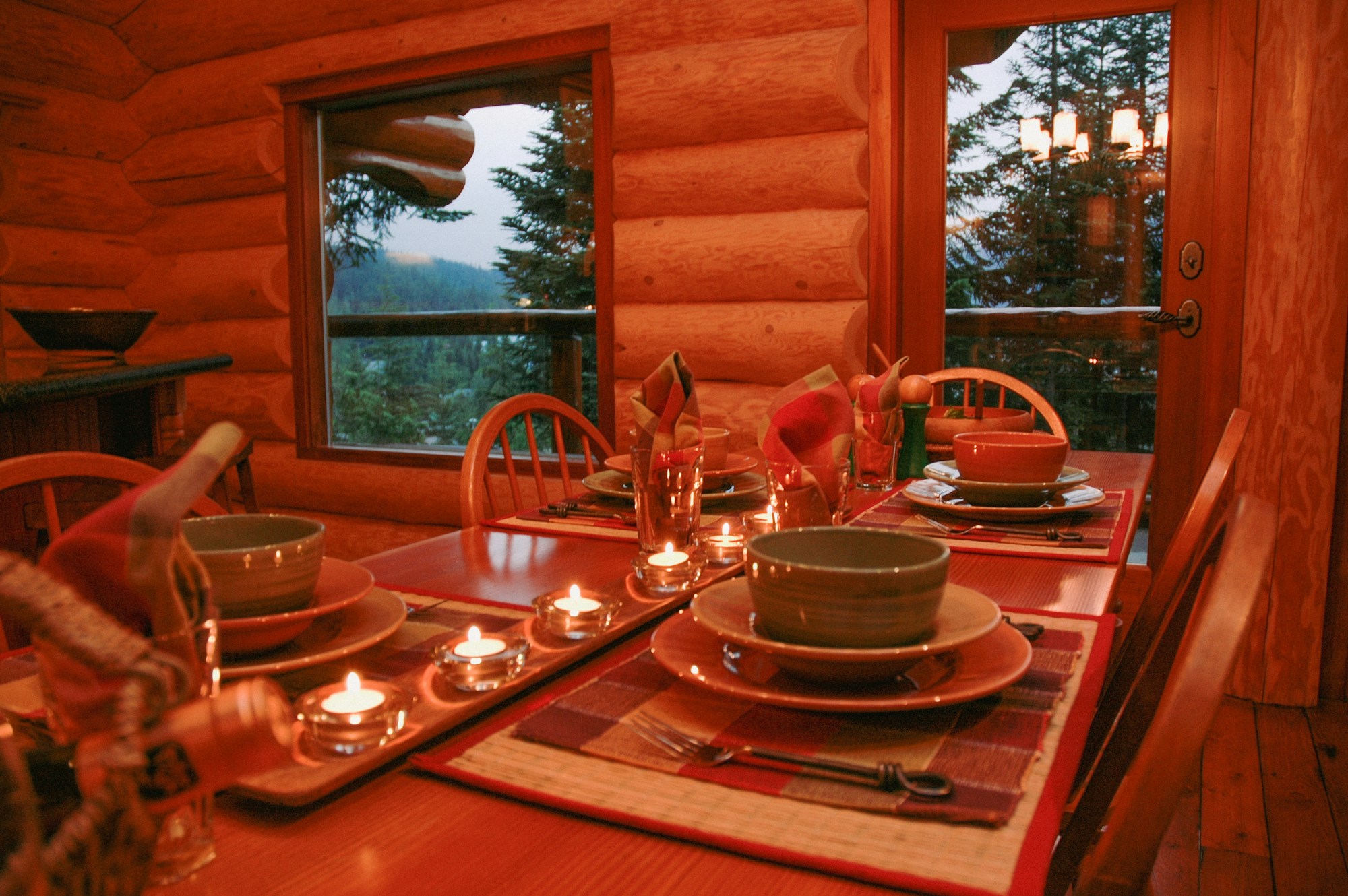
A lodge can earn hundreds of kind words on Google and then send guests to a booking page that shows none of them. The guest reads the reviews on the map listing, clicks through to your site to book, and finds a page of nice photos and a price. The proof stayed behind on Google. That is the gap this post is about.
Placing reviews is the easy part. The harder part is doing it within Google's rules and the rules of the platforms where other reviews live. Policies change, so treat everything below as a snapshot. The Google and Airbnb pages cited here were checked in October 2026, and you should open the current versions before you build anything.
Why the booking page needs the proof
A guest deciding on a cabin or a package is spending real money on a place they have never seen in person. Reviews are how strangers vouch for you. If the proof lives only on Google Maps, the guest has to leave your site to find it.
For how to ask for reviews and answer them, see our guide to online review management for outfitters. For the homepage checklist, including showing your star rating and review count, see the 25-point website conversion audit. This post covers the pages after the homepage and the markup limits.
Where reviews belong on a lodge site
Think in terms of the guest's path, from first impression to the button.
The homepage
Show your overall rating and review count near the top, with a link to read them on Google. The audit post above covers this.
The cabin or room page
This is where most lodges leave money on the table. A guest reading about one cabin wants to hear from people who stayed there. If your reviews mention a specific cabin, a short quote on that cabin's page does more than a generic rating on the homepage. Pick quotes that talk about the things guests worry about before booking: the bed, the water access, how clean it was, how easy check in was.
Package and trip pages
If you sell a fishing package or a weekend bundle, put a quote from a guest who took that package on that page. A quote about a guided float means more on the float page than on the lodge's contact page.
Next to the button
Proof works best beside the decision, not only at the bottom of the page. The sales page anatomy post makes that case in detail. In practice: put one strong line and your rating near the "Check availability" or "Book now" button, where doubt is highest. If your booking engine sits on a separate domain, check what you can place on its pages.
Show the rating and the count together
A star average alone tells the reader very little. Baymard Institute, a usability research firm, makes this point in its article on how users perceive product ratings (published August 29, 2023, and noted as updated with new data in 2025). It says a 4.5 average based on 5 reviews is a different signal from a 4.5 average based on 1,000 reviews. In the latest survey described there, nearly twice as many respondents favored a 4.5 star average from 57 users over a 5 star average from 4 users.
Baymard's work covers ecommerce product lists, not lodge bookings, so we are not claiming a lodge conversion rate. It supports a simple habit: show how many reviews stand behind a rating.
Widgets versus curated quotes
You have two broad ways to put reviews on a page.
A widget is a block of code, usually from a third party vendor, that pulls reviews from a source and displays them. We are not endorsing any vendor and did not test them. Read the vendor's current help pages and terms before you pay.
A curated quote is a review you pick and place yourself, as text, with the reviewer's name as shown on the review and a link to the original. It takes a person a little time every few months.
Which is better? For a lodge with a handful of cabins and packages, curated quotes often fit, because you can match a quote to the page. A widget can make sense where you have many pages and want less manual work. Either way, a few rules apply.
Use real reviews, shown accurately. Do not edit the words, and do not invent or rewrite a review.
Credit and link to the source.
Do not offer a discount, a free night or anything else of value in exchange for a review. Google's Maps user-generated content policy does not allow offering payment, discounts or free goods or services in exchange for posting, revising or removing a review. It also does not allow selectively soliciting only positive reviews. Asking for a genuine review, with no incentive and no attempt to steer the rating or the wording, is allowed.
Do not pass off hand-picked quotes as your whole record. The FTC's rule on consumer reviews, 16 CFR 465.7(b), bars a business from materially misrepresenting that the reviews shown in a review section of its website represent most or all of the reviews submitted when reviews are being suppressed because of their ratings or negative sentiment. Label curated quotes as a selection and link to your full Google reviews. The rule covers more than this one point, so read the current text on eCFR, or ask your attorney, before you build a page that features reviews.
What Google's pages say about showing Google reviews
Many how to pages tell you to paste a snippet from Google Maps. We checked the Google pages directly, and what we found is narrower.
The Business Profile help page documents a share link
Google's Business Profile help page on reviews (opened October 13, 2026) describes how to share one review: open Google Maps, search the business name and city, open Reviews, choose More, then Share review, then Send a link and copy the link. That page does not document an embed snippet. A search results overview that day mentioned an "Embed review" menu item, but we could not confirm it on a Google help page, so we are not recommending it.
You can pair a curated quote with that link so the guest can see the original.
The Places API has display rules
If you or your developer pull reviews through Google's Places API, Google publishes policies on how to show them (the page showed a last-updated date of October 27, 2026 when we rechecked it). Key points from that page:
Do not pre-fetch, cache or store Places API content beyond the allowed exceptions. The place ID can be stored.
Credit the author with the avatar, name and profile link when space allows. If space is limited, the minimum for a review is the author's avatar.
Let people open the individual review on Google Maps using the link the API provides.
Include a clear notice of how reviews are ordered and filtered. By default they are ordered by relevance. Showing the relative publish date is recommended.
An AI-generated review summary from the API has its own display requirements on that page.
The API also limits how many reviews you get. Google's Places API (New) reference says a maximum of 5 reviews can be returned, sorted by relevance. An API-driven display shows a handful of reviews, not your whole history.
The page does not state a number of days for keeping review text, so have your developer read the current policy before storing anything.
The Maps embed does not mention reviews
Google's Maps Embed guide (last updated October 8, 2026) describes five modes: place, view, directions, street view and search. It does not say whether the place map shows review text or a star rating. Use it to show a location, not as your review display.
Google's rule on star markup for your own reviews
This is the rule that catches lodge sites. Many sites add review markup (structured data) hoping for star ratings in search results. Google's review snippet guidelines in Search Central say that if the entity being reviewed controls the reviews about itself, pages using LocalBusiness or any other Organization type are ineligible for the star review feature. The example Google gives is a review of one business placed on that same business's website, either in the structured data or through an embedded third party widget. The page names a Google Business reviews widget and a Facebook reviews widget as examples.
In plain terms: if your lodge marks up reviews of your own lodge on your own site, do not expect star ratings to show up in search because of it. Google's Local Business structured data page also says the review and aggregateRating properties are "only recommended for sites that capture reviews about other local businesses." Google's updates log says it clarified this in August 2023 and described it as not new information.
A few more points from the review snippet page:
Ratings for a local business must be sourced directly from users. Google also says not to rely on human editors to create, curate or compile ratings information for local businesses.
Do not aggregate reviews or ratings from other websites.
Do not include fake reviews or undisclosed incentivized reviews.
You can still show your reviews to guests on the page. Showing them to people is not the same as marking them up for search stars. If your site or plugin adds review or aggregate rating markup for your own lodge, ask your developer to check it against the current Search Central pages. Our older post on what a great sporting lodge website looks like lists review markup in its technical section; follow the Search Central pages instead, and check them again before you act.
Pulling in Airbnb and TripAdvisor reviews
Many lodges would like to copy reviews from other platforms onto the direct booking page. Slow down here.
Airbnb. Airbnb's Terms of Service (last updated May 13, 2025) say not to use, copy, display, mirror or frame the Airbnb platform, any content, any Airbnb branding, or any page layout or design without Airbnb's consent. Pasting Airbnb review text onto your site appears to fall under that sentence. Airbnb's off-platform policy also says a host may not ask guests to review an Airbnb stay on a non-Airbnb website, unless the host is an approved hotel partner. Link to your listing rather than copying from it, or ask Airbnb for consent.
TripAdvisor. We could not open TripAdvisor's widget terms page when we researched this post, so we are not stating a rule. If you want to show TripAdvisor content, read their current terms first and use whatever display method they provide.
A cleaner route is to collect guest comments directly after a stay, with the guest's permission to quote them, and place those on the cabin page.
Freshness and responding
Old reviews can make a lodge look quiet. Two habits keep your display current.
First, keep asking for honest reviews after each stay, following Google's rules above: no incentive, no steering. The review management guide has the full process.
Second, respond. According to Google's Business Profile help, replying requires a verified business. Replies are reviewed by Google, usually within 10 minutes, though a review of a reply can sometimes take up to 30 days. An approved reply shows publicly as the business. The reviewer is notified and can still change their review, and if they do, the date on the review changes to the latest update. Check Google's current help page for the latest.
If you use a curated quotes approach, set a calendar reminder to review the quotes every quarter and swap in newer ones.
A checklist you can use this week
Homepage: rating and review count near the top, with a link to your reviews on Google.
Each cabin page: one or two quotes from guests who stayed in that cabin, with the reviewer's name as it appears and a link to the original where you have one.
Each package page: a quote from someone who took that package.
Near the booking button: your rating, your review count and one strong line.
If you use the Places API: author credit, link to the review on Google Maps, a notice of how reviews are ordered, and no storing review content beyond what Google allows.
No review or aggregateRating markup on your own site that you expect to earn stars, per Google's review snippet guidelines. Have your developer check what is currently on your pages.
No Airbnb review text copied onto your site without Airbnb's consent.
No incentives offered for reviews, ever.
Curated quotes labelled as a selection, with a link to your full reviews, per the FTC's review rule (16 CFR Part 465).
Recheck all of the above each quarter. Terms change.
Next steps
Start with your top-booked cabin page. Add one real, attributed quote near the button, and link to the review. Then work outward to the other cabins and packages. For Google's travel surfaces, see our setup guide for Google Vacation Rentals and free booking links, and for the busy season ahead, the holiday cabin season post.
Work with Pine & Marsh
If you would like a second set of eyes on where your reviews appear and what your site is marking up, book a discovery call or ask for a free marketing check. What you've built deserves to be found.
Frequently Asked Questions
Can a lodge show its Google reviews on the cabin page where the guest books?
Yes, a lodge can show reviews to its guests. The question is how. Google's Business Profile help documents a way to share a link to a single review. Google's Places API has published display rules, including author credit and a link to the review on Google Maps. We did not find a Google help page that documents a copy and paste embed, so check Google's current pages and any vendor's terms first.
Can LocalBusiness review markup on the lodge's own site earn star ratings in search?
According to Google Search Central's review snippet guidelines, no. If the business controls the reviews about itself, pages using LocalBusiness or other Organization types are ineligible for the star review feature. Check the current page before you decide on markup.
How many reviews does the Places API return, and what has to appear with each one?
Google's Places API (New) reference says a maximum of 5 reviews can be returned, sorted by relevance. Google's policy page says to credit the author with avatar, name and profile link when space allows, and to let people open the review on Google Maps. Confirm the current requirements on Google's pages.
Can a lodge offer a discount in exchange for a Google review?
No. Google's Maps user-generated content policy does not allow offering payment, discounts or free goods or services in exchange for posting, revising or removing a review. Asking for a genuine review, with no incentive and no attempt to influence the rating or wording, is allowed.
Should the booking page show a star average without the number of reviews?
Show both. Baymard's research on product ratings (ecommerce, not lodging) found that a 4.5 average from 5 reviews reads differently from a 4.5 average from 1,000 reviews. The count tells the guest how much weight to give the average.
Can Airbnb review text be copied onto the lodge website?
Airbnb's Terms of Service, last updated May 13, 2025, say not to use, copy, display, mirror or frame Airbnb content without Airbnb's consent. Ask Airbnb for permission, or link to your listing instead. Check Airbnb's current terms.
Does the Maps Embed API show reviews?
Google's Maps Embed guide lists five modes and does not mention review text or a star rating. We could not confirm that an embedded place map shows reviews, so do not rely on it for that.


Comments